


Information for Patients regarding the use of electronic registration
The material allows the Patient to obtain information regarding the use of the electronic registration service.
We invite you to use electronic registration without the need to visit WIM-PIB or contact us by phone.
Make an appointment using e-registration and/ or e-registration of the Ministry of National Defense to the Medical Entity of the Military Health Service.
Without leaving home, you can easily and quickly use the internet to:
- make an appointment, cancel, or reschedule an appointment to the doctor
- check the test results performed at WIM-PIB
- check the date of scheduled services health
- check the history of health services provided
- check the current availability of health services
How to use e-registration
You can log in to e-registration using:
- trusted profile
- electronic banking
- mObywatel application
- e-ID
- Online Patient Account (IKP)
- mojeIKP mobile application
How to set up a Trusted Profile (TP)
Trusted Profile (PZ) is a free and secure electronic official tool that allows you to handle official matters online without leaving your home.
You can create a Trusted Profile for free and in just a few moments. It's truly very simple. With a Trusted Profile, you can confirm your identity online and sign documents with an electronic signature if necessary to process your matter. You can create a Trusted Profile online or at a public office, such as a tax office, National Health Fund (NFZ) , or Social Insurance Institution ( ZUS) branch.
Create a Trusted Profile Online
You can also create a trusted profile through online banking. Log in to your bank account, find the trusted profile creation form, complete it, and submit it directly from your account.
You can also confirm your trusted profile using your account in the Poczta Polska Envelo system.
Create a trusted profile with Envelo
If your bank does not allow you to do this, you can arrange a trusted profile at the office.
Login to e-registration from the WIM-PIB website
Select the method of logging in to e-registration using a Trusted Profile or electronic banking or via the WIM-PIB Medical Information Portal account:
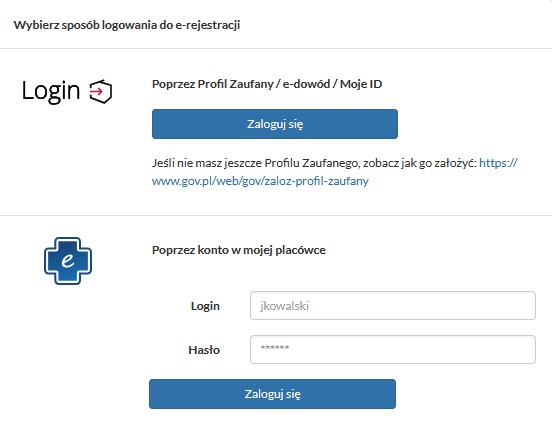
After logging in, select the second tab from the left, Benefits.

After selecting the Benefits tab, you will see thematic tabs:

- Stay here you will find information about the health services provided
- Waiting list – information on scheduled dates of health services at WIM-PIB
- Diagnostics information on the results of tests performed at WIM-PIB,
- Medical records – this is where you will find your medical records.